
Is WordPress Suitable for Large Websites? A Look at Custom-Coded, Optimized WordPress Sites Without Page Builders
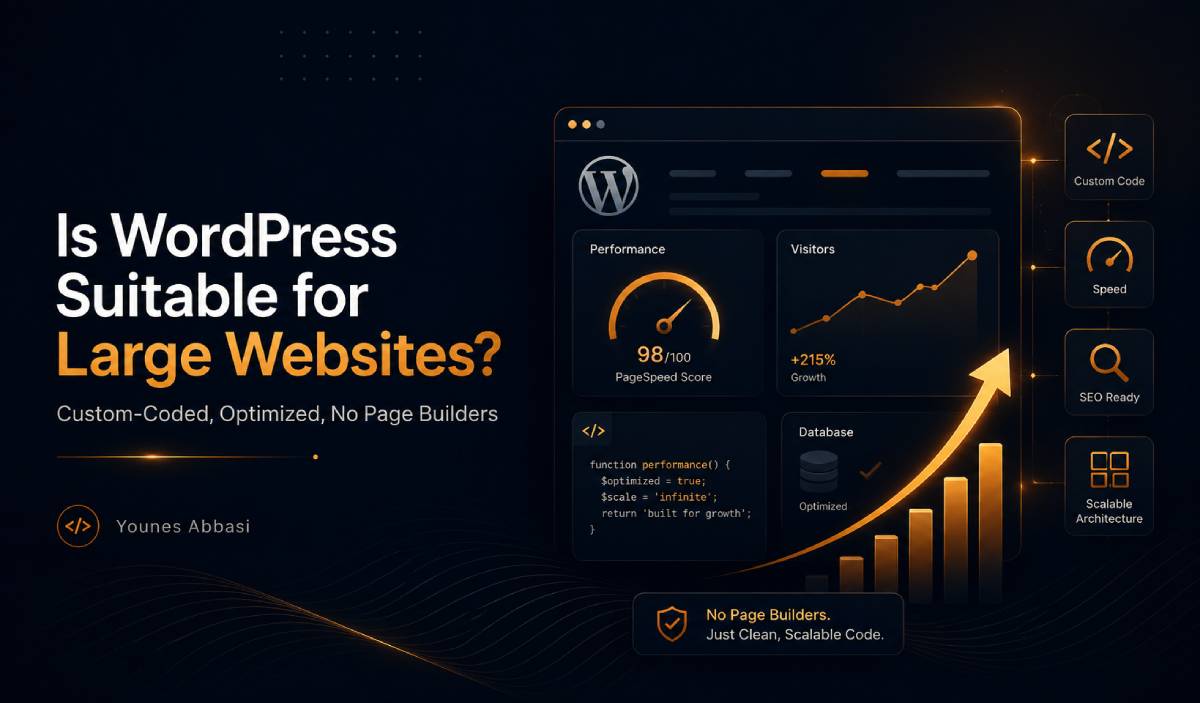
Many people believe that WordPress is not suitable for large websites. They assume that if a website has a lot of content, many pages, high traffic, or complex features, WordPress will naturally become slow and difficult to manage. In many cases, this belief comes from bad experiences with poorly built WordPress websites: sites made with heavy themes, too many plugins, page builders, weak hosting, unoptimized images, and little technical knowledge behind the architecture.
But the real problem is usually not WordPress itself. The problem is how WordPress is used.
WordPress is a powerful content management system. It can be used for small blogs, business websites, large publishing platforms, educational websites, eCommerce websites, and content-heavy projects. However, like any other technology, its performance depends on the quality of implementation. A badly built WordPress website can be slow even with only a few pages. On the other hand, a well-structured, custom-coded, optimized WordPress website can handle a large amount of content and still perform very well.
The question is not simply, “Is WordPress good or bad for large websites?” A better question is: “Has this WordPress website been built with the right architecture, clean code, optimized queries, proper caching, good hosting, and a clear content structure?”
WordPress Is Not Slow by Default
WordPress is often blamed for problems that are actually caused by poor development decisions. A website can become slow for many reasons: unnecessary plugins, heavy pre-made themes, page builders, unoptimized database queries, lack of caching, poor hosting, large images, and too many CSS or JavaScript files.
None of these problems are unique to WordPress. Any website built without performance in mind can become slow. The difference is that WordPress is very accessible. Many people can install it, add a theme, install plugins, and create pages without understanding how those choices affect performance. This flexibility is one of WordPress’s strengths, but it can also become a weakness when the website is built without technical knowledge.
A professional WordPress website should not be treated as a collection of random plugins and visual tools. It should be treated as a real software project, with proper planning, clean development, performance optimization, and long-term maintainability in mind.
The Problem with Too Many Plugins
One of the most common reasons WordPress websites become slow and difficult to maintain is the excessive use of plugins. Plugins are one of the biggest advantages of WordPress, but they can also create serious problems when they are used without control.
Many people install a new plugin for every small feature. They install one plugin for sliders, another for forms, another for tables, another for buttons, another for galleries, another for fonts, another for redirects, another for social media icons, another for SEO, another for security, another for caching, and so on. At first, this approach seems fast and convenient. But behind the scenes, each plugin may add its own CSS files, JavaScript files, database tables, settings, hooks, filters, and server-side processes.
The problem is not only the number of plugins. The quality of plugins matters even more. A single poorly written plugin can damage performance more than several well-coded plugins. A bad plugin may load unnecessary files on every page, execute heavy database queries, conflict with other plugins, create security risks, or increase CPU and memory usage on the server.
More plugins also mean more maintenance. Every plugin needs updates. Every update can create compatibility issues. Every dependency increases the risk of bugs, conflicts, or security problems. Over time, the website becomes harder to control because its functionality depends on many different tools written by different developers.
In a custom-coded WordPress website, many simple features can be implemented without installing extra plugins. This does not mean that plugins should never be used. Good plugins can be very helpful. But every plugin should have a clear reason to exist. If a small feature can be built with clean, lightweight code, it is often better to avoid adding another dependency.
The Hidden Cost of Page Builders
Page builders such as Elementor, WPBakery, Divi, and similar tools have made website design easier for many people. They allow users to create pages visually, move elements around, and build layouts without writing code. For small websites, quick landing pages, or projects with limited budgets, page builders can be useful.
However, this convenience often comes with a hidden cost: heavier output.
Page builders usually need to support many features, widgets, layouts, animations, responsive settings, and design options. To provide all of this flexibility, they often generate extra HTML layers, many CSS classes, inline styles, additional JavaScript, and complex DOM structures. Sometimes a simple section that could be written with clean HTML and a few lines of CSS becomes a large block of nested divs, classes, and scripts.
This affects performance directly. A heavier HTML structure takes more time for the browser to parse and render. More CSS and JavaScript files increase download and execution time. A large DOM can make the page slower, especially on mobile devices and weaker hardware. If the page builder loads assets on pages where they are not needed, the problem becomes even worse.
Another issue is the lack of full control. When a website is custom-coded, the developer knows exactly why each HTML element, CSS rule, and JavaScript file exists. But when a page is built with a page builder, much of the output is generated by the tool itself. The developer or website owner may not fully know what is happening behind each widget, section, or visual setting.
Page builders can also create long-term dependency. The design, layout, and sometimes even part of the content structure become tied to that page builder. If the website needs to be redesigned, optimized, migrated, or rebuilt later, removing the page builder may become difficult and time-consuming.
This does not mean page builders are always bad. They can be useful in the right context. But for large, SEO-focused, performance-sensitive, and long-term projects, a custom-coded WordPress theme usually gives much better control.
The Role of Server-Side Rendering and Hosting
WordPress is a PHP-based, server-rendered system. In a typical WordPress website, the main HTML of each page is generated on the server and then sent to the user’s browser. This means that server quality has a direct impact on website speed.
When a user visits a WordPress page, several things usually happen. WordPress core files are loaded. The theme and plugins are executed. Required data is fetched from the database. PHP generates the final HTML. Then the server sends the response to the browser.
If any part of this process is slow, the user feels the website is slow.
That is why a professional WordPress website cannot perform well on weak hosting. A slow CPU, limited RAM, old PHP version, poor database performance, weak disk speed, and bad server configuration can all damage performance. Even a clean, custom-coded theme may struggle if the infrastructure is not strong enough.
Database speed is also very important. WordPress stores posts, pages, products, categories, menus, settings, users, metadata, and many other types of information in the database. If too many database queries are executed on each page load, or if the database is not optimized, the server will become slower as the website grows.
For large WordPress websites, hosting is not just a place to upload files. It is part of the website architecture. A serious WordPress project needs a server environment that supports modern PHP versions, enough resources, fast database performance, caching systems, and preferably tools such as OPcache, Redis, and CDN integration.
Unoptimized Queries: The Invisible Performance Problem
Sometimes the real cause of a slow WordPress website is not visible on the front end. The design may look clean. The page may seem simple. But behind the scenes, the website may be sending heavy, repeated, or unnecessary queries to the database.
WordPress depends on the database to display content. If queries are poorly written, too broad, or repeated unnecessarily, the time required to generate a page increases. This becomes especially important on large websites with many posts, products, custom fields, taxonomies, and users.
One common mistake is requesting more data than needed. For example, a small section may only need five post titles and links, but the code may request full post objects with unnecessary fields. In small websites, this may not be noticeable. In large websites with high traffic, it can become a serious problem.
Another common issue is the careless use of WP_Query. WP_Query is very powerful, but when used without understanding performance, it can create expensive database operations. Complex filters, sorting, search conditions, and meta queries can become slow, especially when they involve large amounts of data.
The postmeta table can also become a performance bottleneck. Many themes and plugins store custom data in post meta. As a website grows, heavy queries on metadata can become slow, especially in eCommerce, directory, real estate, educational, or listing-based websites.
Repeated queries are another hidden problem. Sometimes different sections of a page request the same data again and again. Without object caching or transient caching, WordPress may repeat unnecessary database work on every request.
This is one of the major benefits of custom development. When a WordPress website is custom-coded properly, the developer can control what data is requested, how much data is loaded, when queries are executed, and where caching should be applied.
Caching Is Essential for Large WordPress Websites
A large WordPress website without a proper caching strategy will eventually face performance problems. Caching helps WordPress avoid rebuilding everything from scratch on every request.
Without caching, every page request may require PHP execution, database queries, template rendering, and asset loading. If this happens for every user and every page, the server will be under constant pressure. Caching reduces this pressure by storing ready-made results and reusing them when possible.
Page caching is one of the most important types of caching. It stores the final HTML version of a page so that WordPress does not need to run PHP and database queries for every visitor. For public pages such as articles, category pages, landing pages, and static content, page caching can dramatically improve speed.
Object caching stores frequently used data in memory. For large websites, tools like Redis or Memcached can reduce the number of repeated database queries. Transient caching is useful for storing temporary data, such as the result of a heavy query or an external API request.
Browser caching helps store images, fonts, CSS, and JavaScript files in the user’s browser, so they do not need to be downloaded again on every visit. CDN caching stores static files, and sometimes cached pages, on servers closer to users in different locations. OPcache improves PHP performance by storing compiled PHP code in memory.
However, caching is not just installing a caching plugin. A good caching strategy depends on the type of website, how often content changes, whether users are logged in, whether the website has eCommerce functionality, and which sections must remain dynamic.
For example, an article page can often be cached aggressively. But a cart page, account page, or user-specific dashboard needs more careful handling. Good caching is about finding the right balance between speed and accuracy.
The Advantage of Custom-Coded WordPress
The biggest advantage of custom-coded WordPress is control.
When a WordPress theme is built from scratch, the developer can control the HTML structure, CSS files, JavaScript behavior, database queries, caching strategy, content architecture, and performance optimization. The website does not need to load unnecessary widgets, layouts, scripts, or settings. It only runs what it actually needs.
A custom-coded theme can have cleaner HTML, fewer DOM elements, lighter CSS, and more targeted JavaScript. Files can be loaded only where they are needed. Queries can be written carefully. Custom Post Types and taxonomies can be designed based on the actual content structure. Templates can be optimized for the real needs of the project.
Custom development also makes it easier to improve Core Web Vitals. When the developer has control over layout, images, scripts, fonts, and rendering behavior, it becomes easier to improve metrics such as LCP, INP, and CLS.
Security can also improve when unnecessary dependencies are reduced. Of course, custom code must be written securely. But fewer random plugins and fewer third-party tools usually mean a smaller attack surface and easier maintenance.
Custom coding also improves long-term scalability. If the website needs new features later, a clean structure makes development easier. In contrast, websites built with many plugins, a heavy theme, and a page builder often become difficult to modify without breaking something.
Custom-coded WordPress means the website does exactly what it needs to do — not more.
Does Ajax Always Improve Speed?
Ajax can improve user experience and reduce the initial load of a page, but it does not automatically make a website faster.
Ajax is useful when it is used to load data only when needed. For example, a product archive does not need to load hundreds of products at once. It can load the first set of products initially and then load more when the user clicks a button or scrolls. Filters, live search, form submissions, and dynamic content sections can also benefit from Ajax.
However, poorly implemented Ajax can create more problems. If every small interaction sends a heavy request to the server, the number of requests increases. If those requests run expensive queries without caching, Ajax can actually increase server load.
Live search is a good example. If the website sends a database query for every character the user types, performance can suffer. A better implementation uses techniques such as debounce, result limits, caching, and optimized search logic.
In WordPress, Ajax can be handled through admin-ajax.php, the REST API, or custom endpoints. For larger projects, it is important to choose the right method and avoid unnecessary overhead.
Ajax should not replace good architecture. It should support it. When used correctly, Ajax helps reduce initial page weight, load content step by step, and improve interaction. When used carelessly, it becomes another source of performance problems.
A Lot of Content Does Not Automatically Make a Website Slow
Another common misunderstanding is that a website becomes slow simply because it has many pages, posts, products, or projects. This is not necessarily true. A website can contain thousands of pieces of content and still be fast.
The real issue is not how much content exists. The issue is how that content is managed, queried, displayed, and cached.
A large archive should not load hundreds of posts or products at once. It should use pagination, “load more,” or another controlled loading method. Images should be optimized, resized correctly, converted to modern formats when possible, and lazy loaded. Queries should be limited and specific. Search and filters should be designed carefully.
For very large websites, more advanced tools may be needed. Redis can help with object caching. Elasticsearch or similar tools can improve search performance. A CDN can reduce file delivery time. A dedicated or well-optimized server can provide better stability under high traffic.
A website with only a few hundred pages can be slow if it is badly built. A website with thousands of pages can be fast if it has good architecture.
Content volume is not the enemy. Poor content architecture is.
When Is WordPress a Good Choice for a Large Website?
WordPress can be an excellent choice for large websites when it is used professionally.
It is a good choice when the website has a custom-coded, lightweight theme; controlled and necessary plugins; proper hosting; multi-layer caching; optimized database queries; optimized images and files; a clear content structure; and a developer who understands WordPress, PHP, SQL, SEO, performance, security, and front-end optimization.
WordPress is especially strong for content-driven websites. It works well for corporate websites, blogs, magazines, news websites, educational websites, documentation websites, SEO-focused websites, multilingual websites, and many eCommerce websites.
Its admin panel is user-friendly, its content management features are strong, and its ecosystem is mature. When combined with custom development and proper optimization, WordPress can become a very powerful platform for large projects.
When Is WordPress Not the Best Choice?
WordPress is not always the best tool for every project. If the project is less like a content website and more like a complex web application, another framework may be a better choice.
For example, a complex SaaS platform, real-time application, advanced analytics dashboard, highly custom business system, event-driven platform, or application with very complex user permissions may be better suited to frameworks such as Laravel, Symfony, Django, NestJS, Express, Next.js, or other specialized technologies.
This does not mean WordPress is weak. It means every tool has its best use case. WordPress is excellent for managing and publishing content. But when the main challenge is not content management, and the project requires a highly custom application architecture, a dedicated framework may offer more flexibility.
Choosing WordPress should be based on the nature of the project, not only on popularity or convenience.
Conclusion
WordPress is not automatically slow, and it is not limited to small websites. A WordPress website becomes slow when it is built without proper planning, overloaded with plugins, dependent on heavy page builders, placed on weak hosting, filled with unoptimized queries, and launched without a real caching strategy.
On the other hand, a custom-coded and optimized WordPress website can be fast, scalable, SEO-friendly, maintainable, and suitable for large amounts of content.
The real difference is not WordPress versus other platforms. The real difference is professional implementation versus poor implementation.
If WordPress is treated as a serious development platform — with clean code, good architecture, optimized queries, proper caching, lightweight front-end output, strong hosting, and a clear content structure — it can be a very powerful choice for large websites.
WordPress is not the problem. Bad implementation is.
-
Date:
-
Author:
Younes Abbasi